
Path to your daily rhythm.

Your timetable, attendance, tasks, pocket money and journal, in one Android app. Built in India by an engineering student, for school and college students.

Version 1.2.0 in closed testing on Google Play. Android only. Free to start, no account needed.

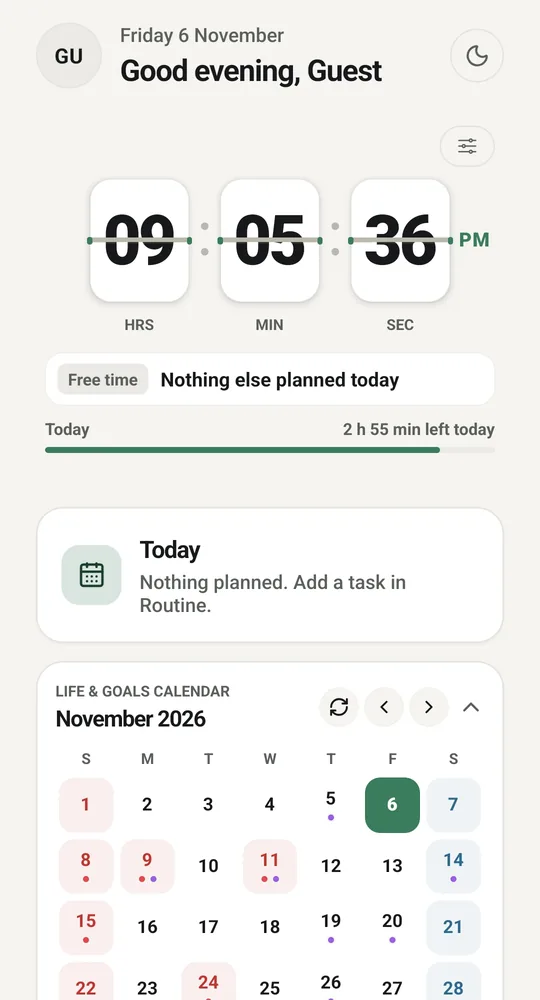
Din Chariya Home screen with a flip clock, today's plan and a November calendar

Questions you ask every week.

And how Din Chariya answers them. Every phone here shows the real app.

Can I bunk tomorrow?

Try it. Press Attend or Bunk and watch the number. Din Chariya does this for every subject from the classes you mark, and tells you in plain words how many you can still skip.

It only knows what you enter. Your college's register always wins.

Open the full bunk calculator →

Overall attendance78.6%
Target goal

Classes attended 33 / 42

Safe to bunk 2 classes
Diwali weekend. Can I stretch it?

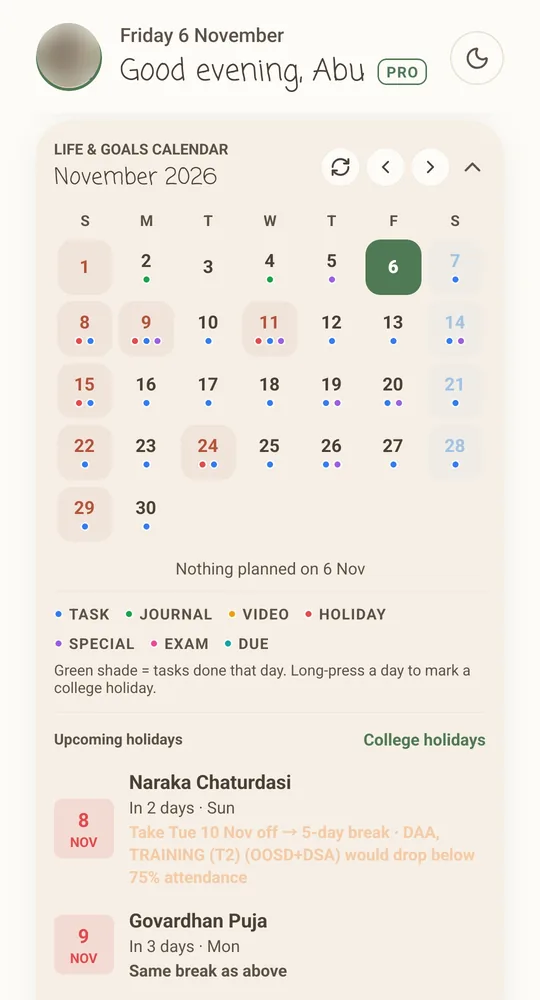
The calendar on Home already did the maths, and it checks your attendance too: it tells you which subjects would drop below 75% if you take that day off.

The full November calendar on Home with holidays marked, and the tip Take Tue 10 Nov off for a 5-day break, with a warning that two subjects would drop below 75%

It is 8 PM. Did I forget something?

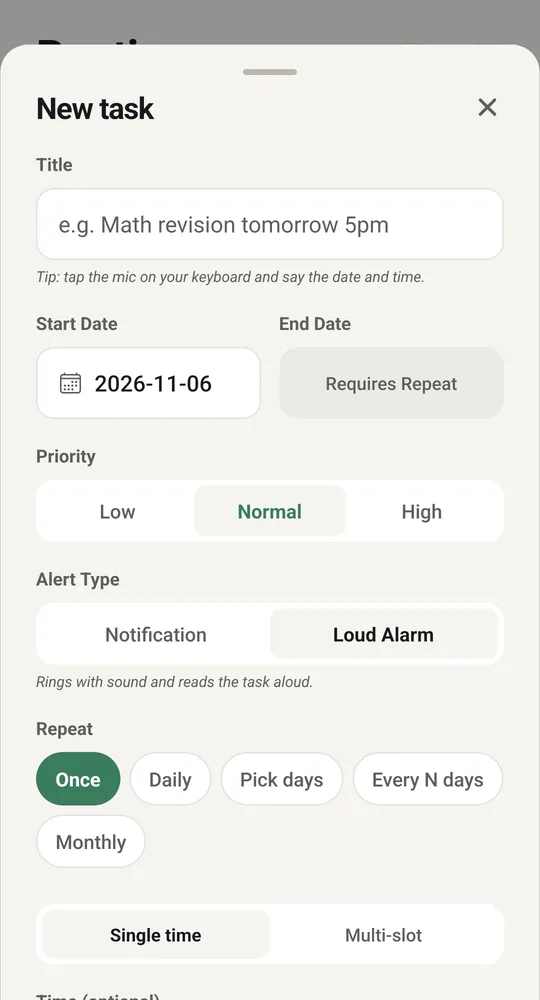
Not if you set it once. Give a task a Loud Alarm and it rings and reads the task out loud. Or keep it quiet with a normal notification.

New task sheet with priority, alert type Notification or Loud Alarm, and repeat options

Where did this month’s money go?

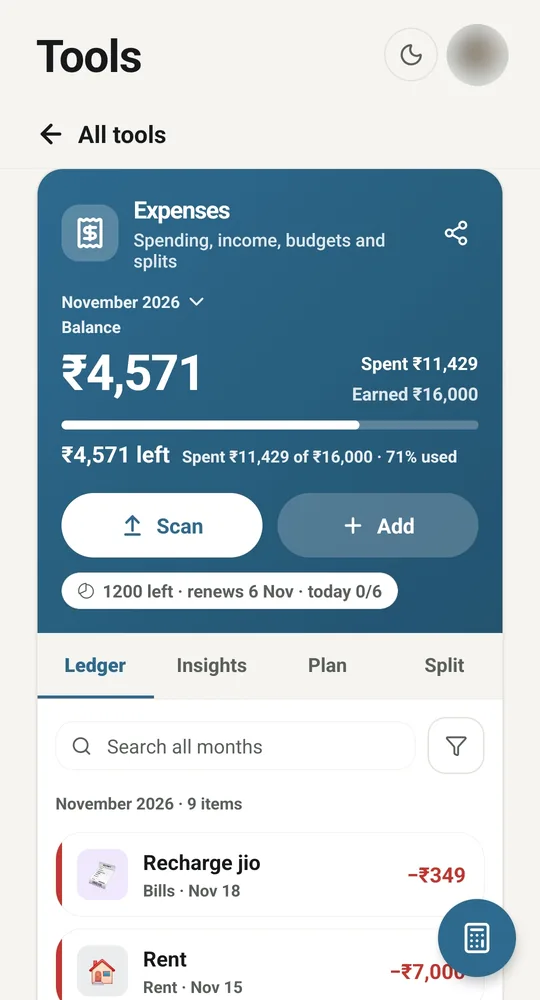
Rent, a recharge, the rest. You see what is left before the month ends, not after. Split a bill with friends in the same place.

Expenses for November: balance ₹4,571, spent ₹11,429 of ₹16,000

Going home this weekend?

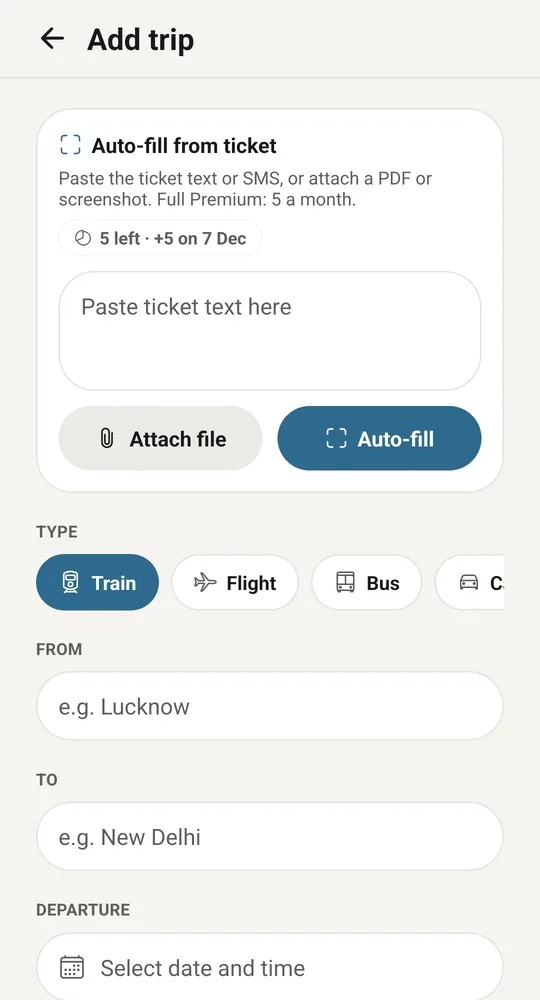
Paste the ticket SMS or attach the PDF, and Auto-fill puts in the train, seat and platform (Full Premium, 5 a month). You get a reminder before you leave, and a journal prompt once you arrive.

Add trip: Auto-fill from ticket, then Train, Flight, Bus or Car, with from and to

Do I have to sign up?

No. Tap Continue as guest and start right away, and everything stays on your phone. Sign in with Google or an email address only when you want a backup and your data on any phone. How sign-in works

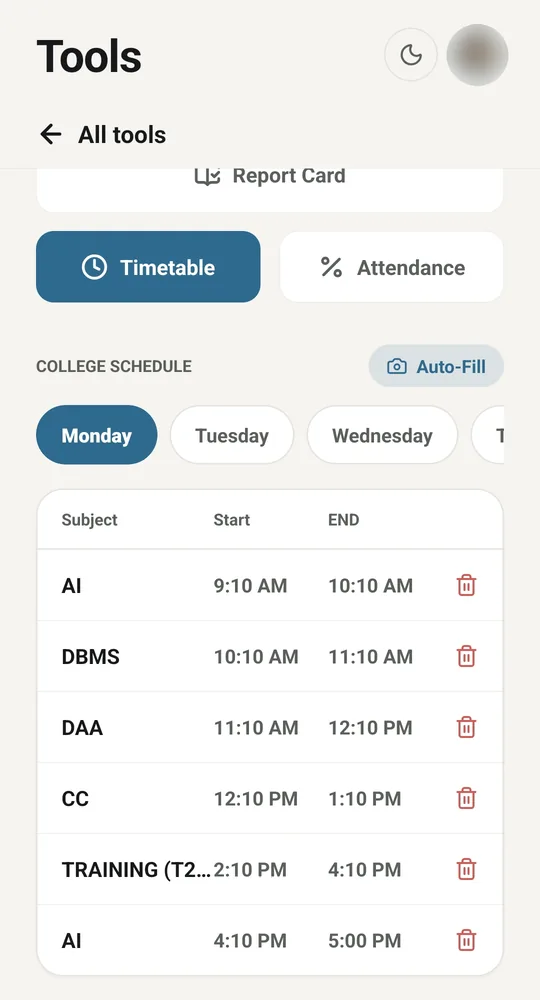
What do I have on Monday?

Type your timetable once, and every class turns into a one-tap check-in. Academic Pass can fill it in from a photo.

Monday timetable: AI, DBMS, DAA, CC and Training with start and end times

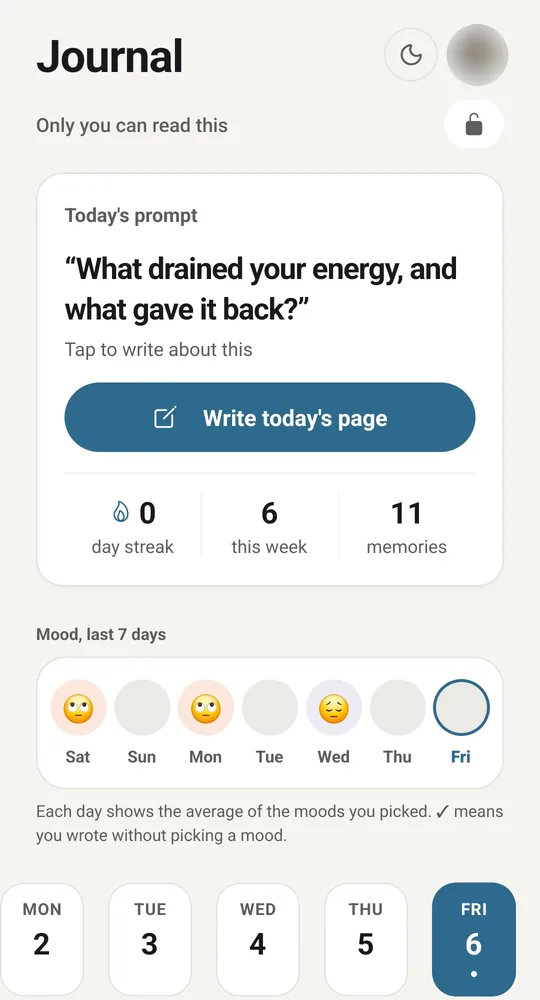
Nobody reads my journal, right?

Right. We don't read, sell, or share it. As a guest it never leaves your phone, and Private mode encrypts it with your own passphrase before anything syncs. How privacy works

Journal screen: Only you can read this, today's prompt, a streak and moods for the last 7 days

One Tuesday, start to finish.

Scroll, and the phone follows the day.

  1. 7:00 AM

    The plan is already there.

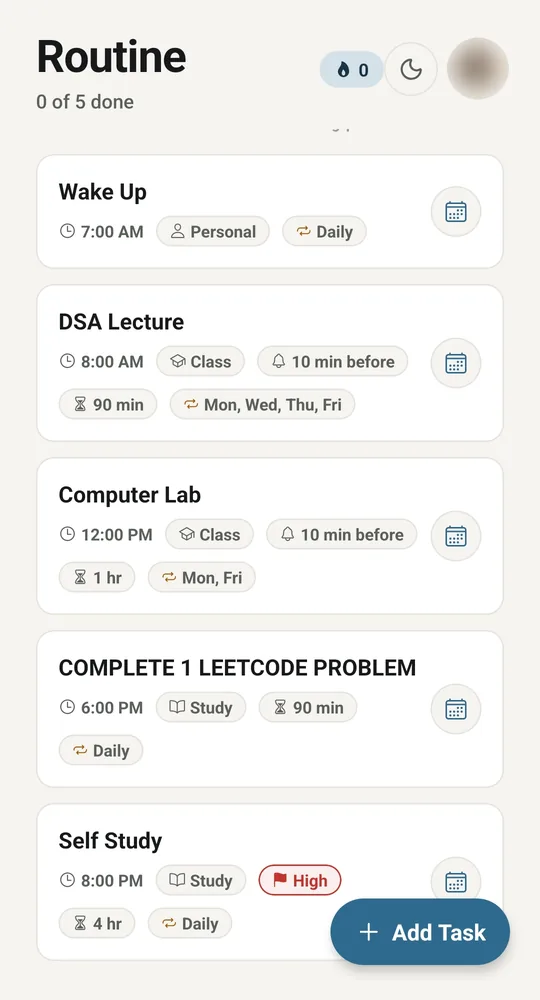
    Wake Up, DSA lecture at 8, lab at 12, one LeetCode problem at 6, self study at 8. Set once, it repeats by itself.

    Routine screen with Wake Up, DSA Lecture, Computer Lab, a LeetCode problem and Self Study
  2. 9:10 AM

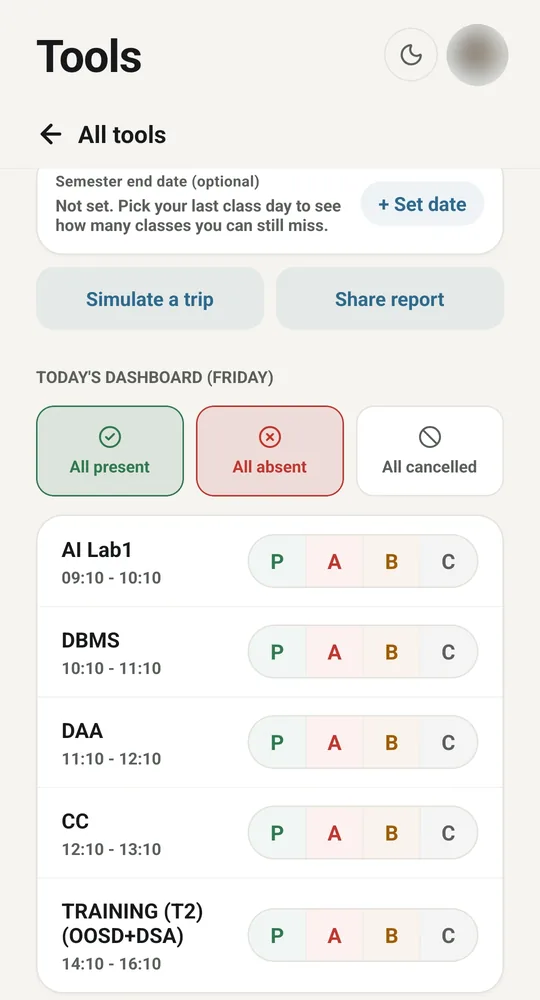
    AI Lab. Present.

    Mark each class as it ends: Present, Absent, Bunk or Cancelled. Or all present in one tap.

    Today's classes with P, A, B and C buttons
  3. 1:30 PM

    Recharge done. ₹349.

    Two taps to add it, and the month’s balance updates right away.

    Expenses screen with the month’s balance and recent entries
  4. 6:00 PM

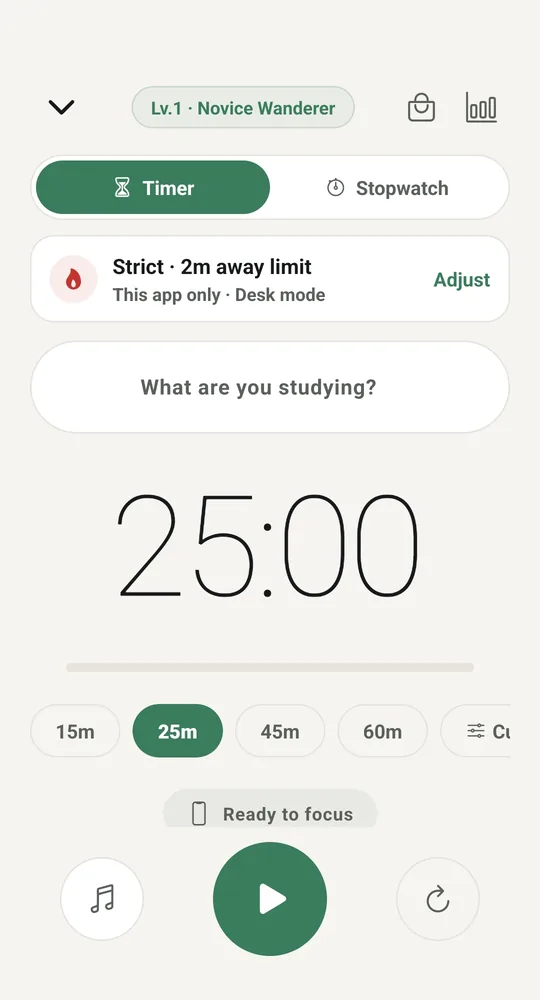
    25 minutes. Phone stays down.

    Strict mode gives you a 2-minute away limit. Finish the session and you earn coins.

    Study mode timer at 25:00 with Strict mode
  5. 10:00 PM

    What drained you today?

    That is tonight’s journal prompt. Write a line, pick a mood, sleep.

    Journal with tonight's prompt and a Write today's page button

Fifteen themes. Five clock faces.

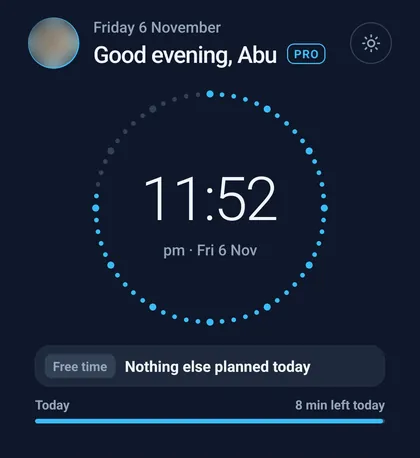
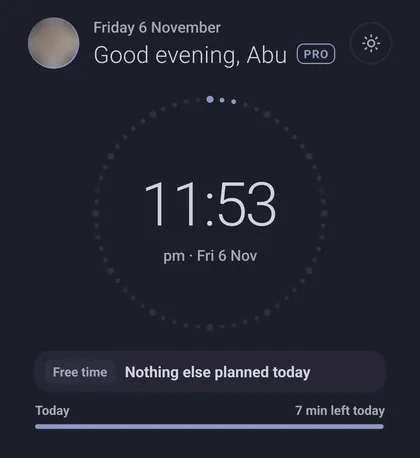
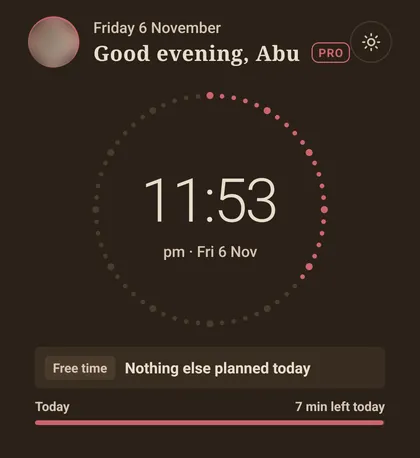
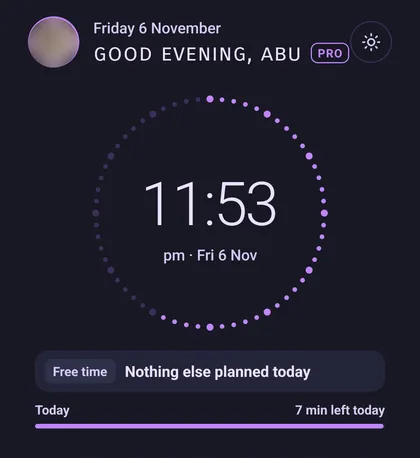
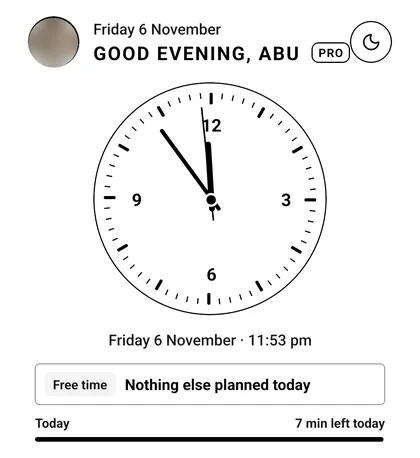
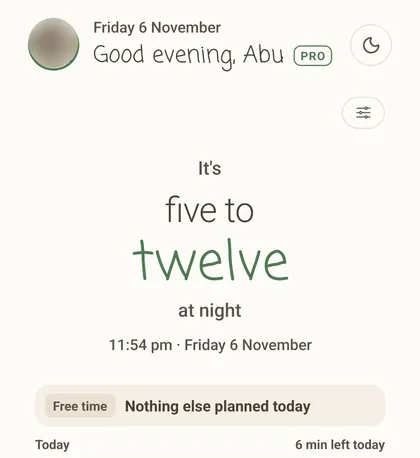
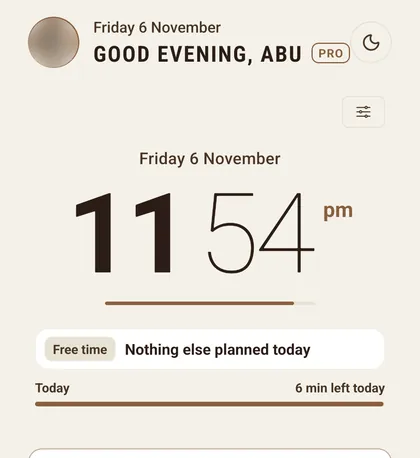
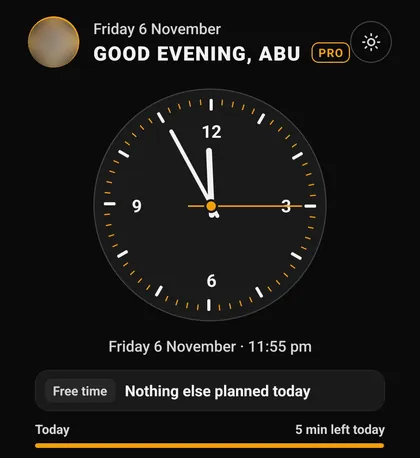
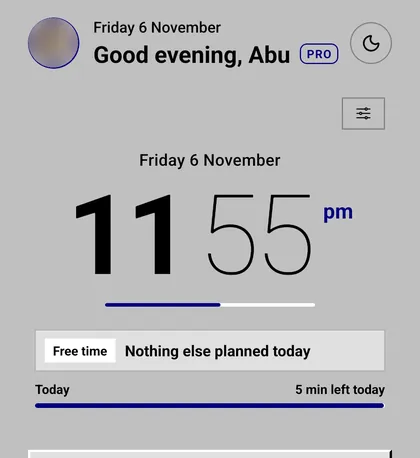
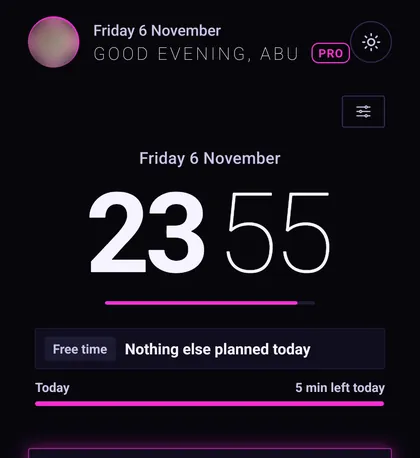
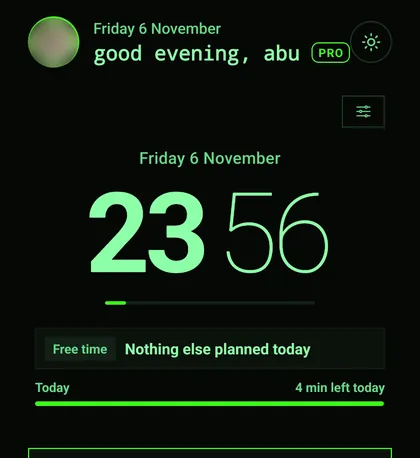
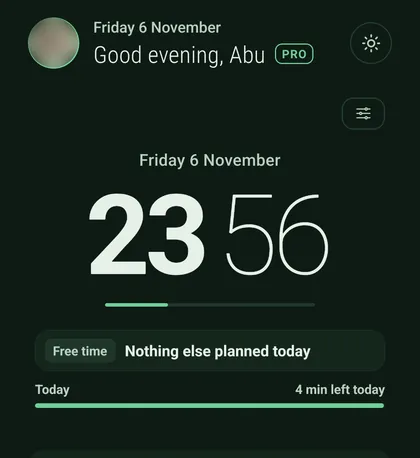
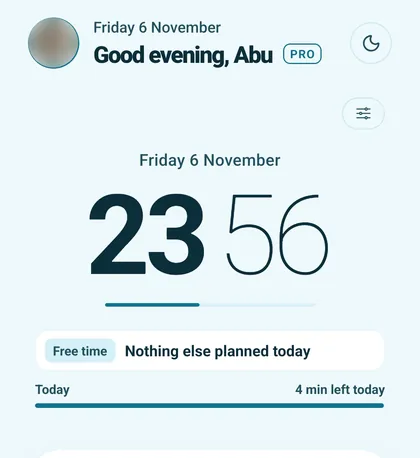
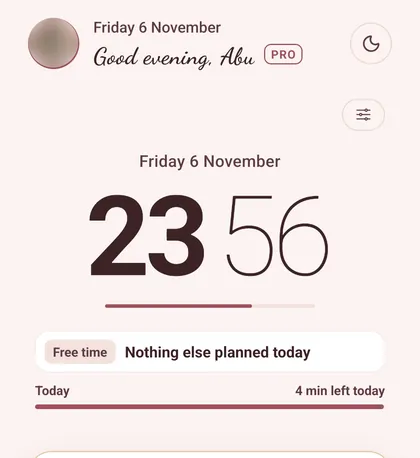
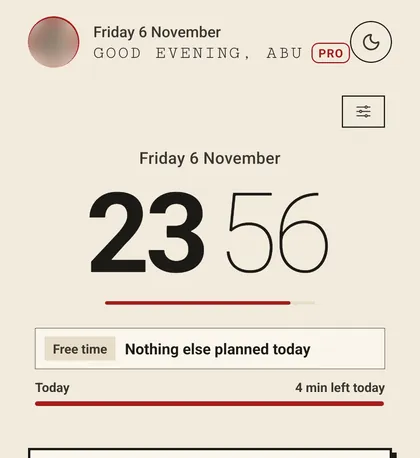
Every Home screen below is the real app on the same night. The flip clock is free. Full Premium unlocks the themes and the Analog, Words, Editorial and Orbit clocks, in 12 or 24 hour time.

  • Din Chariya Home screen in the Arctic theme, with the Orbit clock
    ArcticOrbit clock
  • Din Chariya Home screen in the Moonlight theme, with the Orbit clock
    MoonlightOrbit clock
  • Din Chariya Home screen in the Dark Academia theme, with the Orbit clock
    Dark AcademiaOrbit clock
  • Din Chariya Home screen in the Lo-Fi theme, with the Orbit clock
    Lo-FiOrbit clock
  • Din Chariya Home screen in the Minimal theme, with the Analog clock
    MinimalAnalog clock
  • Din Chariya Home screen in the Soft Pastel theme, with the Words clock
    Soft PastelWords clock
  • Din Chariya Home screen in the Café Latte theme, with the Editorial clock, 12-hour
    Café LatteEditorial clock, 12-hour
  • Din Chariya Home screen in the Los Santos theme, with the Analog clock
    Los SantosAnalog clock
  • Din Chariya Home screen in the Retro PC theme, with the Editorial clock, 12-hour
    Retro PCEditorial clock, 12-hour
  • Din Chariya Home screen in the Neon Cyber theme, with the Editorial clock, 24-hour
    Neon CyberEditorial clock, 24-hour
  • Din Chariya Home screen in the Terminal theme, with the Editorial clock, 24-hour
    TerminalEditorial clock, 24-hour
  • Din Chariya Home screen in the Forest Night theme, with the Editorial clock, 24-hour
    Forest NightEditorial clock, 24-hour
  • Din Chariya Home screen in the Ocean Breeze theme, with the Editorial clock, 24-hour
    Ocean BreezeEditorial clock, 24-hour
  • Din Chariya Home screen in the Rose Gold theme, with the Editorial clock, 24-hour
    Rose GoldEditorial clock, 24-hour
  • Din Chariya Home screen in the Typewriter theme, with the Editorial clock, 24-hour
    TypewriterEditorial clock, 24-hour

Or just tap around.

Five tabs, real screens. Pick a tab, then a feature.

Home: Flip clock and your day. A big clock, how much of the day is left, and what is planned next.

Home Flip clock and your day

Free to start. ₹19 a month for the student extras.

Paid through Google Play, and you can cancel there any time.

Free

₹0

Your day, simple attendance, journal, expenses, a study timer and a basic calculator.

Academic Pass

₹19 a month

or ₹89 for 6 months

Smart attendance, timetable and result scans, report card, scientific calculator.

Full Premium

₹49 a month

or ₹199 for 6 months

Everything in Academic Pass, plus scans, reviews, documents, video journal and more.

Compare every feature →

Before you ask.

What does Din Chariya mean?

It comes from the Hindi word दिनचर्या (dincharya): daily routine. You may also see it written Dinchariya, Din Charya or Dinacharya.

Is there an iPhone version?

No. Din Chariya is Android only.

Do I need an account?

No. As a guest, your data stays on your phone. Sign in with Google or an email address to sync to another phone. Buying a plan needs an account, so the plan follows you.

Does it work offline?

Yes. Your data lives on your phone first. Syncing, scans, reviews and buying a plan need internet.

Which AI do you use?

Google Gemini, through our server. It is used in Scan to tasks, Weekly review, Journal analysis, study breakdown and review, Money coach, Goal plan, Revision plan and the other scanners. It can be wrong, so check the result before you save it.

How do I cancel a plan?

In Google Play: Payments and subscriptions, then Subscriptions. Deleting the app or your account does not cancel it.

How do I delete my account?

In the app under Settings, Delete account. If you cannot open the app, email us. The steps are on the Delete your account page.

How do I join the beta?

Use the Join beta testing button. It opens a short form. Din Chariya is in closed testing on Google Play, so testers are added to the test.

Joining takes two minutes.

Here is exactly what happens after you tap the button.

  1. 1

    Fill the short form

    Use the Gmail address on your Android phone, so Google Play knows it is you.

  2. 2

    Get added to the test

    Din Chariya is in closed testing on Google Play. Your email is added to the testers list.

  3. 3

    Install from Google Play

    Open the testing link, install it like any app, and use it as a guest or sign in.

Made by a student, like you.

Din Chariya is built and looked after by one engineering student. If something breaks, or you want something added, write to dinchariya.support@gmail.com. It goes straight to the person who wrote the code, not to a support queue.

Beta testers get the app before it is public, and during the beta they may get Premium features free of charge.

Abu Hozaifa, maker of Din Chariya

Join beta testing